Overview

Requirements

Changelog

Docs

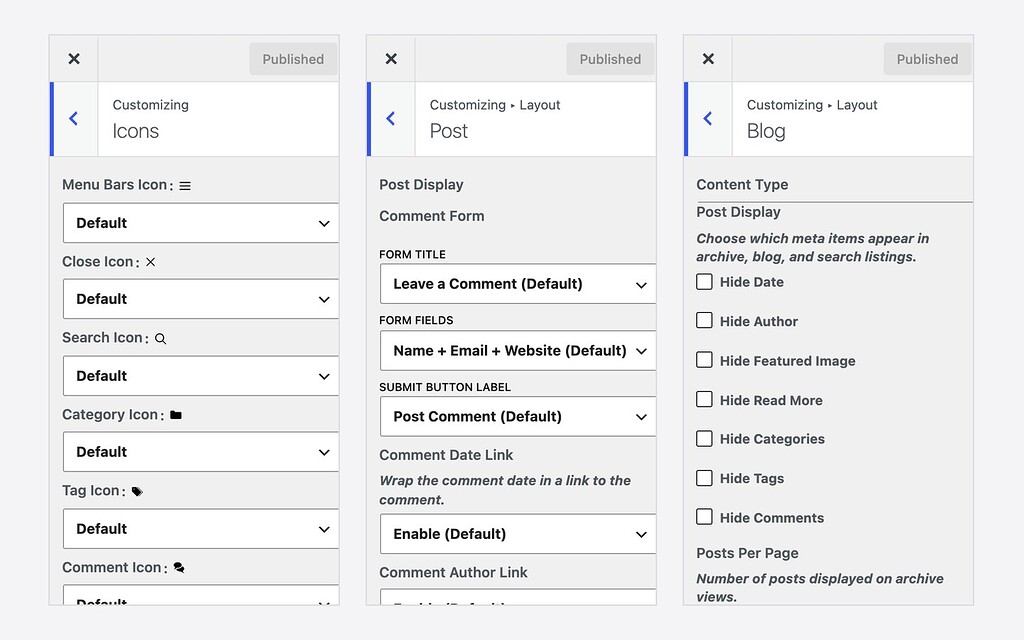
Enhance for GeneratePress adds the Customizer options that GeneratePress Free leaves out — sidebar layouts per context, post meta and comment controls, custom icons, footer controls and extra widget areas. No GP Premium and no code required.

Every setting lives in GeneratePress’s own generate_settings option, so GeneratePress’s Import / Export carries it with the rest of your design. Every Generate Market child theme includes Enhance for GP.

Where you find it

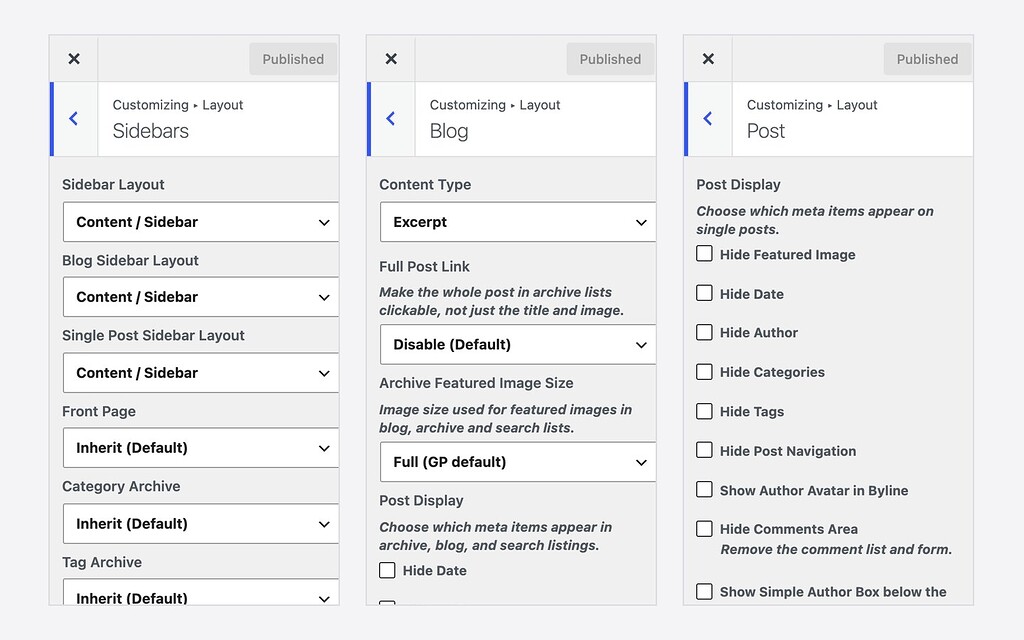
  • Layout: sidebars per context, blog and archive lists, single posts, comments, footer
  • Icons: replace or hide GeneratePress’s built-in SVG icons
  • General: navigation search texts, mobile menu label, term separator and link targets
  • Widgets: “After the Content” and “After the Comments” areas on single posts
Features

Sidebar layouts per context

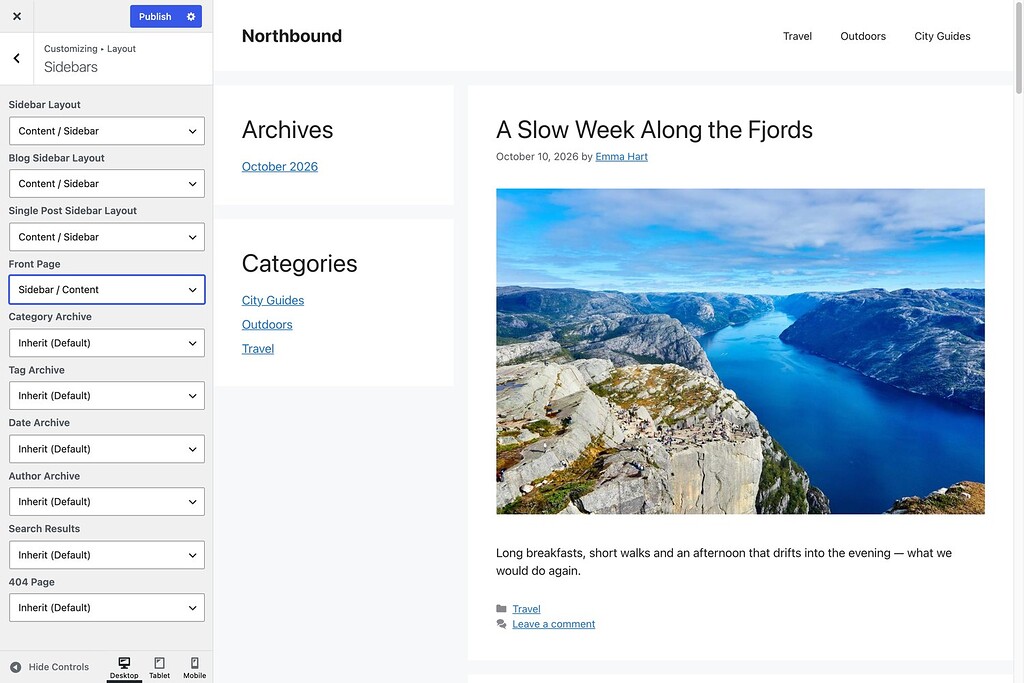
Set the sidebar layout separately for the front page, category, tag, date and author archives, search results and the 404 page.

Blog and archive lists

Full-post link on cards, read-more toggle, posts per page per archive, featured image size and post meta visibility.

Single post controls

Meta visibility, post navigation, author avatar in the byline and an author box after the comments.

Comment form controls

Title, fields (Name or Name + Website, also for FluentComments), submit label, date and author links, avatar size.

Custom icons

Replace the menu, close, search, category, tag, comment and arrow icons with your own images or SVGs, or hide them.

Footer controls

Copyright message, footer bar toggle, and back-to-top speed and trigger distance.

Extra widget areas

“After the Content” and “After the Comments” areas for newsletters, related posts and popular posts.

Travels with your settings

Stored inside generate_settings, so GeneratePress Import / Export moves it with the rest of your design.

Requirements

Parent theme

GeneratePress Free

Settings

Appearance → Customize → Layout, Icons and General

Fonts

Compatible child themes

Setup steps

Install GeneratePress

Install and activate the free GeneratePress theme from Appearance → Themes. GP Premium is not needed.

Upload Enhance for GP

Go to Plugins → Add New → Upload Plugin, choose the Enhance for GP zip file, activate it and enter your licence key when asked.

Open the Customizer

Go to Appearance → Customize. The new options sit in the Layout, Icons and General sections, and the preview updates as you change them.

Customizer Sidebars panel with Front Page set to Sidebar / Content, and the live preview showing the sidebar on the left

Plugins

New

Enhance for GP

More Customizer options for GeneratePress Free

From $19

One-time payment

1 site $19 · Unlimited sites $79

More Customizer options for GeneratePress Free: per-context sidebar layouts, post meta and comment controls, custom icons, footer controls and extra widget areas — no GP Premium needed.

Licence for 1 site or unlimited sites

Lifetime updates

1 year of support

Secure checkout by Freemius