
GeneratePress lets you pick one site-wide sidebar layout. Enhance for GP adds a separate layout choice for each page type, so your blog archive can have a sidebar while your search results do not.
Where to find it
- Go to Appearance → Customize → Layout → Sidebars.
- Pick a layout for each page type.
- Click Publish.
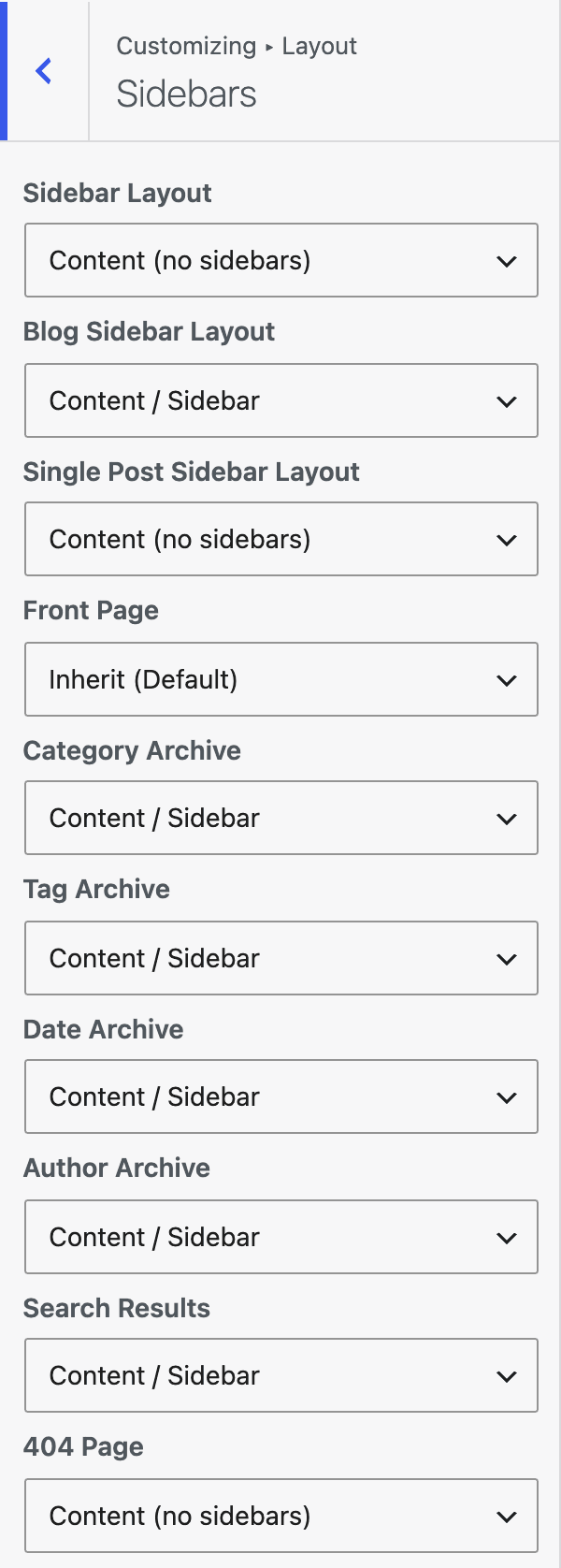
| Setting | Options | What it does |
|---|---|---|
| Front Page | All layouts below. Inherit (Default). | Sidebar layout for the front page. |
| Category Archive | Same | Sidebar layout for category archives. |
| Tag Archive | Same | Sidebar layout for tag archives. |
| Date Archive | Same | Sidebar layout for date archives. |
| Author Archive | Same | Sidebar layout for author archives. |
| Search Results | Same | Sidebar layout for search results. |
| 404 Page | Same | Sidebar layout for the 404 page. |
Layout choices
- Inherit (Default)
- Sidebar / Content
- Content / Sidebar
- Content (no sidebars)
- Sidebar / Content / Sidebar
- Sidebar / Sidebar / Content
- Content / Sidebar / Sidebar
Good to know
- Inherit (Default) uses the site-wide layout you set in GeneratePress.
- When a page matches more than one type, the first match in the order of the table above wins.
- These options work only when GeneratePress is the active theme or the parent theme.