
These small options affect links in post meta and one item in the editor.
Date, author and separator options
Go to Appearance → Customize → Layout → Miscellaneous. The options apply to lists and to single posts.
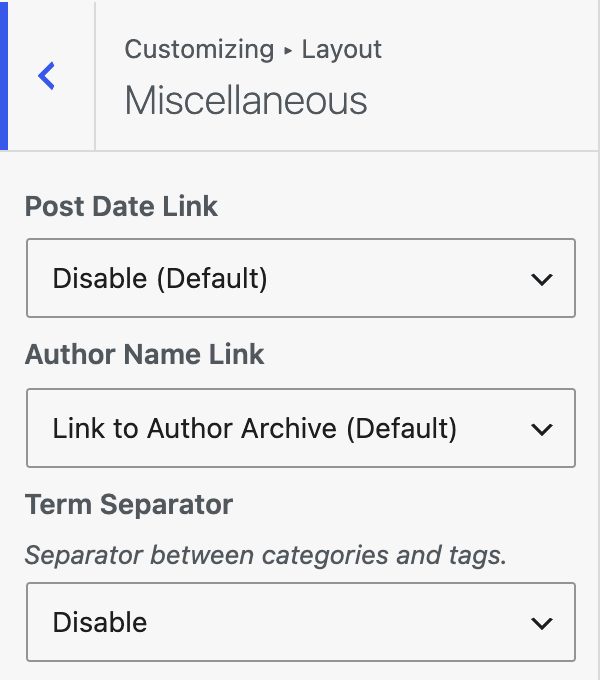
| Setting | Options | What it does |
|---|---|---|
| Post Date Link | Disable (Default) / Link to Date Archive / Link to Post | Whether the post date is a link, and where it goes. |
| Author Name Link | Link to Author Archive (Default) / Disable / Link to Author Website | Where the author name links. If the author has no website, it links to the author archive. |
| Term Separator | , (Default) / Disable / Custom | Separator between categories and tags. Custom Separator sets your own. |
Hide the Layout meta box
GeneratePress adds a Layout meta box to the editor. You can remove it for all public post types.
- Go to Appearance → Customize → Admin.
- Set Layout Meta Box to Disable.
- Click Publish.
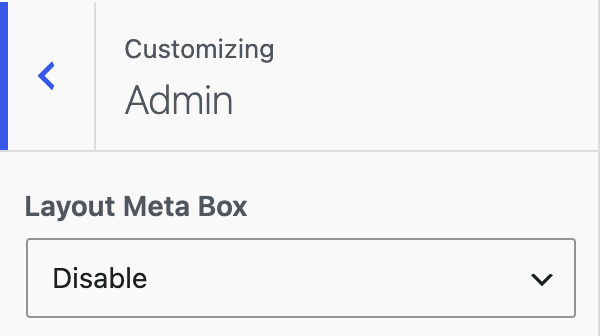
| Setting | Options | What it does |
|---|---|---|
| Layout Meta Box | Enable (Default) / Disable | Disable removes the Layout meta box from the editor. |
Good to know
- If Custom is chosen for Term Separator and the text is empty, you cannot publish. The Customizer shows Enter the custom text, or choose a different option.
- Disabling the Layout meta box hides per-page layout choices in the editor. It does not delete values you saved before.
- These options work only when GeneratePress is the active theme or the parent theme.